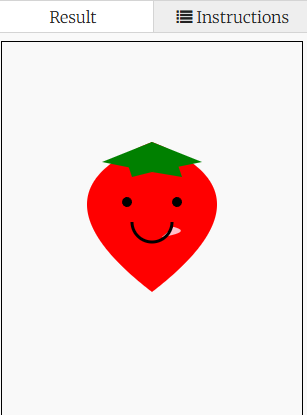
Drawing + Coding = Tasty Yummy Strawberry
Today we are going to learn how to draw a strawberry
V 1.0 3/29/2020
V 1.1 12/18/2020
Resize
Fix coordinates bug

<!DOCTYPE html>
<html>
<head>
<title>HTML5 Canvas tutorial1</title>
<style type="text/css">
canvas {
border: 1px solid black;
}
</style>
</head>
<body onmousemove="coor(event)">
<canvas id="tutorial" width="300" height="450">
Your browser does not support the HTML5 canvas tag.
</canvas>
<div id = "out">show</div>
<script type="text/javascript">
function coor(event) {
var x = event.clientX-8;
var y = event.clientY-8;
var out = document.getElementById("out");
out.innerHTML = "x:" + x + " y:" + y;
}
function draw(){
var canvas = document.getElementById('tutorial');
if(!canvas.getContext) return;
var ctx = canvas.getContext("2d");
//start to code
ctx.beginPath();
ctx.moveTo(150, 100);
ctx.quadraticCurveTo(20, 150, 150, 250);
ctx.quadraticCurveTo(280, 150, 150, 100);
ctx.fillStyle="red";
ctx.fill();
ctx.beginPath();
ctx.moveTo(150, 100);
ctx.lineTo(100, 120);
ctx.lineTo(150, 130);
ctx.fillStyle="green";
ctx.fill();
ctx.beginPath();
ctx.moveTo(150, 100);
ctx.lineTo(200, 120);
ctx.lineTo(150, 130);
ctx.fillStyle="green";
ctx.fill();
ctx.beginPath();
ctx.moveTo(125, 120);
ctx.lineTo(130, 135);
ctx.lineTo(150, 130);
ctx.fillStyle="green";
ctx.fill();
ctx.beginPath();
ctx.moveTo(175, 120);
ctx.lineTo(180, 135);
ctx.lineTo(150, 130);
ctx.fillStyle="green";
ctx.fill();
ctx.beginPath();
ctx.arc(125, 160, 5, 0, 2*Math.PI, false);
ctx.arc(175, 160, 5, 0, 2*Math.PI, false);
ctx.fillStyle="black";
ctx.fill();
ctx.beginPath();
ctx.moveTo(172, 185);
ctx.quadraticCurveTo(190, 190, 160, 195);
ctx.fillStyle="pink";
ctx.fill();
ctx.beginPath();
ctx.arc(150, 180, 20, 0, Math.PI, false);
ctx.lineWidth = 3;
ctx.stroke();
}
draw();
</script>
</body>
</html>